
What Is PoE (Power over Ethernet) and What Is It For?
PoE carries data and power over the same network cable to cameras, access points, phones and readers. We explain its IEEE standards, how to calculate a switch's power budget and what to check in the cabling and backup power so it keeps working at night and during an outage.
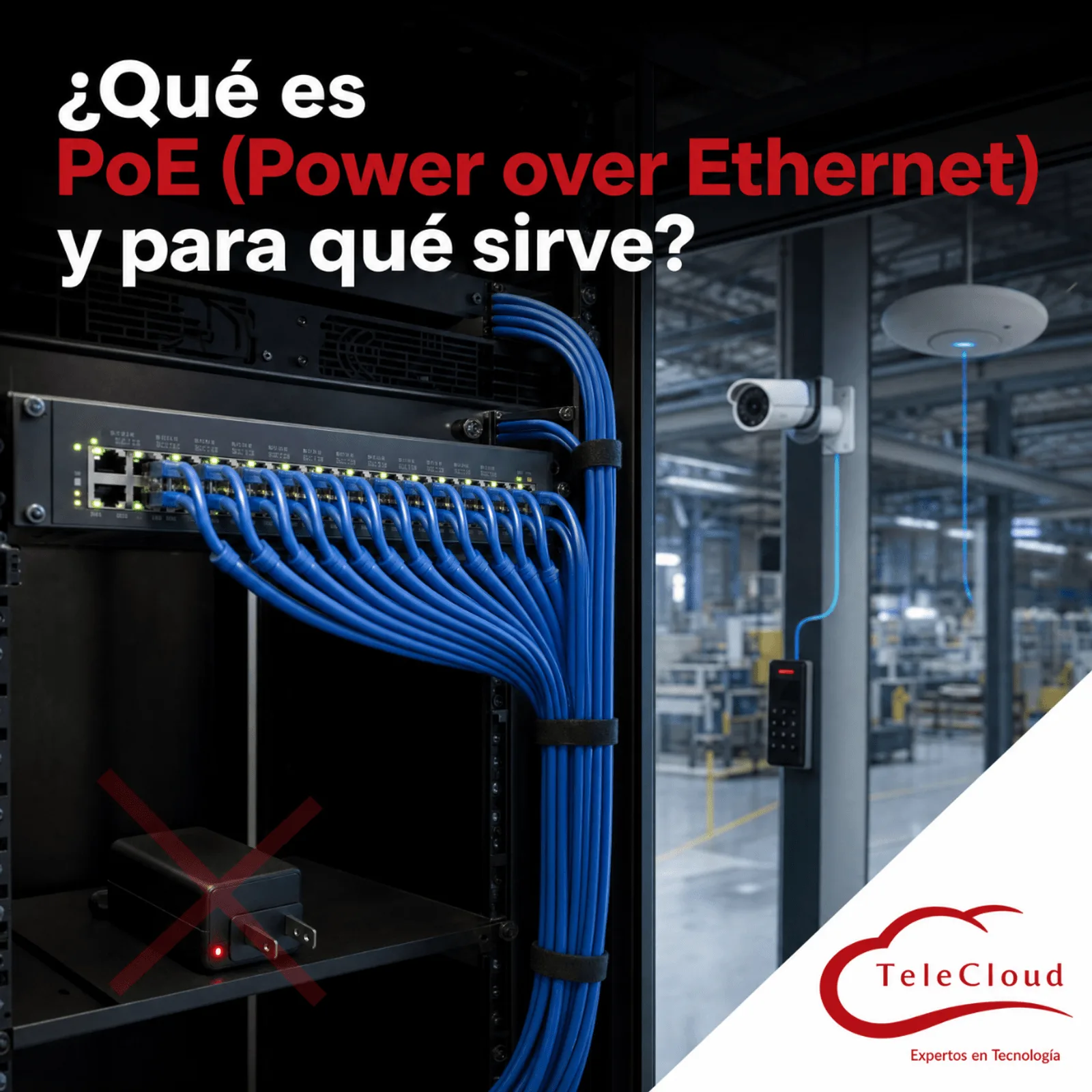
The plant expanded its video surveillance: new cameras on the perimeter wall, two PTZ domes in the truck yard and access readers at the dock doors, all connected to the PoE switch in the guardhouse. During the day, the tests went perfectly. At seven in the evening the infrared lights come on, the domes start their patrol tours and total power draw exceeds what the switch can deliver, so the switch starts cutting power to ports to protect itself. The dock readers shut down, the perimeter cameras reboot over and over, and the guard ends up opening the doors with a key and writing down every vehicle that comes in on paper. The switch had ports to spare and too few watts for all of them.
PoE carries data and power over the same network cable to cameras, access points, phones and readers. It works all year round when the standard, power budget, cabling and backup power are designed together.
One cable for data and power: what PoE solves and what it demands from your network
Power over Ethernet is the technology that lets a switch, or an intermediate injector, send low voltage direct current over the same copper pairs that carry the data. The IP camera, access point, phone or reader at the other end is powered and communicates through a single connection. In a plant, that saves you from running an electrical outlet to every pole, wall or ceiling, and it concentrates the power supply for dozens of devices in the telecom room. We mentioned it when comparing analog CCTV with IP CCTV; here we focus on what makes a PoE installation work all year round.
Detection and classification: how the switch decides which devices get power
In the standard's terminology, the equipment that delivers power is called the PSE (the switch or the injector) and the equipment that receives it is called the PD (the camera, access point or reader). A compliant PSE first verifies that there is a compatible PD on the other end, through an electrical signature that only PoE devices present; it then identifies the device's class, which indicates how much power it may request, and only then applies voltage. Starting with PoE+, the switch and the device can also negotiate the exact power over LLDP. Thanks to that sequence, a laptop without PoE plugged into a standard PoE port suffers no damage.
Where PoE pays off most inside an industrial plant
The natural candidates are low and medium consumption devices installed where bringing in power is expensive: cameras on poles and perimeter walls, access points on the high ceilings of production halls, door readers, IP phones, intercoms in guardhouses and displays on production lines. Two operational advantages add to that. A managed switch lets you remotely reboot a frozen device simply by cutting and restoring power to its port, without sending anyone up a ladder. And because power is concentrated in the rack, a single UPS backs up all those devices at once.
Three IEEE standards and three power limits that define what you can connect
PoE is standardized by the IEEE within the 802.3 family, the same one that defines Ethernet. Each generation increased the power available per port, and mixing them up is the leading cause of devices that fail to power on or that power on with reduced features.
802.3af and 802.3at: the foundation for cameras, phones and access points
IEEE 802.3af, the original PoE, delivers up to 15.4 W per port from the switch. IEEE 802.3at, known as PoE+, raises that limit to 30 W. In both cases, power travels over two of the cable's four pairs. The device receives somewhat less than what leaves the port, because part of the power is lost in the cable, and the figure to design with is the maximum consumption on its datasheet, with all its features active. An IP phone or a reader fits comfortably within 802.3af; many cameras with infrared and a large share of today's access points require PoE+.
802.3bt: four pairs for PTZ domes, heaters and higher consumption equipment
IEEE 802.3bt uses all four pairs of the cable and defines two levels: Type 3, with up to 60 W per port, and Type 4, with up to 90 W. It is required by PTZ domes with motors and heaters for outdoor use, the highest capacity access points and some displays. A PoE+ switch leaves a device that requires 802.3bt unable to start, or powers it with less than it needs, and the symptom gets mistaken for an equipment failure: the dome rotates without its heater, the access point turns on with a single radio or the device reboots when its consumption rises.
The power budget: the limit missing from the switch label
The mistake in the opening scenario is the most common one in PoE installations. A switch advertised with 24 PoE+ ports cannot necessarily deliver 30 W on all 24 ports at the same time. Its power supply has a total power budget, a figure in watts that the manufacturer publishes on the datasheet and that is shared among all the ports. When the combined load exceeds it, the switch starts denying or cutting power.
PoE ports versus available watts
The correct calculation starts from the maximum consumption of each device, taken from its datasheet, and adds up all the equipment connected to that switch with a margin for growth. You also need to check how each model reserves power: some switches set aside the maximum for the device's class on each port, even if the device draws less, while others allocate power according to actual consumption or to what was negotiated over LLDP. With the same budget, one method lets you connect considerably more devices than the other. Some switches also accept a second power supply that expands the budget or backs it up if the first one fails.
Consumption that changes with the time of day and the weather
A PoE device almost never draws the same power all day. Cameras with infrared illumination consume more at night. PTZ domes consume more while their motors are moving, and those with heaters switch on their heating element in the cold early morning hours. An access point draws more as its traffic load grows. That is why a switch that passes its tests at noon can fall short at seven in the evening. The budget is calculated for the worst simultaneous scenario, and the acceptance test is repeated at night, with everything switched on.
Port priority: which devices lose power first
Managed switches let you assign a priority to each port. When demand exceeds the budget, the switch removes power from the lowest priority ports to protect the highest priority ones. If nobody configures those priorities, the switch applies its factory criteria, which on many models depend on the port number, and the reader at the main entrance can lose power before a hallway camera. Defining which devices are critical and connecting them to high priority ports is part of the design.
When cabling and backup power sabotage a PoE installation
Distance, copper quality and heat: what the cable has to withstand
PoE respects the Ethernet distance limit: a 100 meter channel between the switch and the device. For a camera on the farthest wall of the property, the solution is an intermediate switch in an enclosure with its own power supply, connected to the telecom room with fiber optics. The cable matters too. Current heats the conductors, and in large bundles with many high power ports that heat builds up. A certified solid copper cable of the right category handles that load better than copper clad aluminum (CCA) cable, which fails to meet structured cabling standards and runs hotter with the same current.
The PoE switch on the UPS: if the switch goes down, everything it powers goes down
Concentrating power in the switch has a consequence that is often forgotten: a power outage in the rack shuts down the cameras, access points, phones and readers across the entire zone at the same time, and in the middle of an emergency the plant loses video and door control. That is why the PoE switch is connected to a UPS sized for the load of the switch plus that of every device it powers. We have already explained how to size an industrial UPS; with PoE, the detail that slips through is that this load includes equipment installed dozens of meters away from the rack.
How we design a PoE network that holds up at night, in the cold and during an outage
At TeleCloud we start with the inventory: every device to be powered, its PoE standard, its maximum consumption according to the datasheet and how critical it is for operations. With that, we calculate the budget for each switch using the worst simultaneous scenario and a growth margin, choose switches with the power and standard the devices require and decide where the enclosures go so that every point stays within 100 meters.
Then we certify the cabling, configure port priorities according to the criticality of each device and connect the switches to a UPS sized for the full PoE load. The acceptance test includes nighttime conditions, with infrared lights and heaters switched on. Once in operation, a managed switch lets you monitor consumption per port and detect when it is approaching its limit, before the next camera you add leaves a door in the dark.
If your plant is about to add cameras, access points or readers to a switch that still has free ports, first check how many watts it has left. At TeleCloud we calculate the power budget with the real consumption of your equipment, certify the cabling and leave your PoE switches backed up, so your plant's security and connectivity stay on at night and during an outage. Request a diagnosis at https://telecloud.com.mx
Frequently asked questions
Can I connect a non-PoE device to a PoE port on the switch?
Yes, as long as the switch complies with the IEEE standard: the port checks for the device's electrical signature and, if it does not find one, works as a regular data port. The risk lies in passive PoE injectors, common in low cost kits, which apply voltage without checking what is on the other end.
How do I know how much power my PoE switch needs?
Add up the maximum consumption of each device according to its datasheet, with infrared, heaters, motors or all radios active, and add a margin for growth. Compare that total with the switch's power budget, which is a different figure from the number of PoE ports, and check that each port supports the standard its device requires.
Does PoE work for cameras more than 100 meters from the telecom room?
A single switch cannot reach them directly, because the 100 meter limit applies just as it does on any Ethernet link. For longer distances, an intermediate PoE switch is installed in a nearby enclosure, with local power and backup, and connected to the telecom room with fiber optics.
Do you need a network diagnosis?
The TeleCloud team evaluates your current infrastructure and proposes solutions adapted to your industrial operation.
Schedule free diagnosis