What Is the Difference Between Horizontal Cabling and Your Building's Backbone?
Horizontal cabling carries the network to each device and the backbone connects the telecom rooms. Why each section uses its own cable and distance limit.
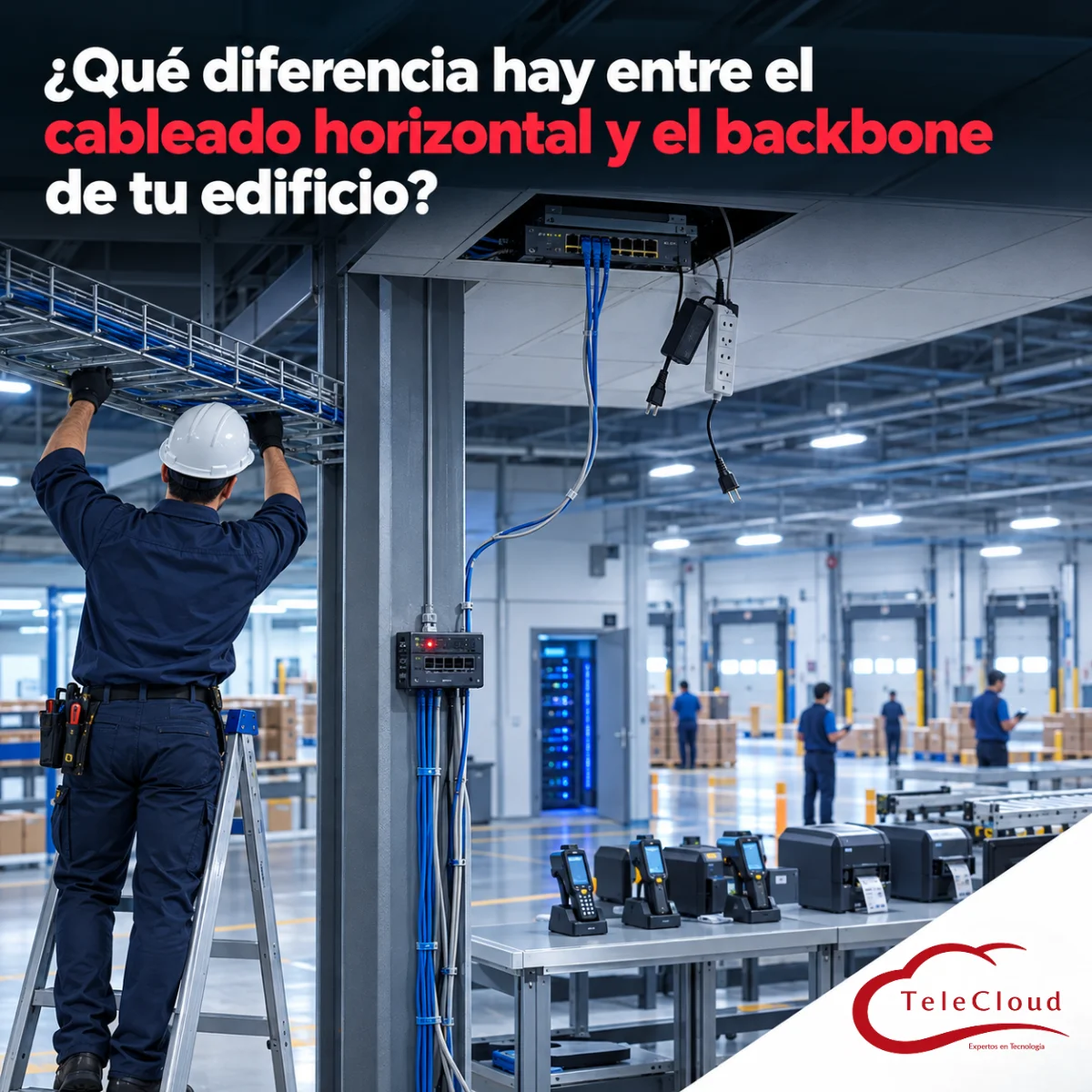
The plant's picking area grew toward the back of the building, beyond the reach of the telecommunications room. To connect it without construction work, the contractor took a free drop in the shipping office, placed a small switch above the ceiling tiles and used it to feed another switch bolted to a column. That second switch served the handheld RF terminals, the label printers at the docks and the cameras in the loading area. One Thursday afternoon, a maintenance crew rearranges the electrical cable tray for a new conveyor and, without realizing it, unplugs the power strip feeding the switch above the ceiling. The entire picking area loses the network at once. The help desk spends the afternoon swapping patch cords one by one, because nobody knew the whole zone depended on a single office cable. The shift's shipments leave in the early morning hours, with labels printed in another area.
Horizontal cabling carries the network from the telecommunications room to each device, with one cable per outlet. The backbone connects the rooms to each other and carries the traffic of entire zones, which is why it is designed differently.
Two sections a plant mixes up when it grows without a plan
Of the six structured cabling subsystems the standard defines, horizontal cabling and the backbone are the two most often confused in a plant, because both leave a rack and both carry data. The difference lies in what they connect. Horizontal cabling links a telecommunications room to an outlet and, through it, to a single device. The backbone links spaces: the equipment room to each telecommunications room, and those rooms to the entrance facility.
That difference in function determines the cable type, the topology, the allowed distance, the capacity and the damage a failure causes. In the plant from the opening, a horizontal cable was doing a backbone's job, and the whole zone inherited the fragility of a desk drop.
Horizontal and vertical: names inherited from office buildings
The names come from multistory buildings. On each floor, the cable runs horizontally above the ceiling to the desks, and the trunk climbs from floor to floor through a vertical riser, which is why the backbone is also called vertical cabling. In an industrial building the geometry flips: the backbone runs the length of the building, and the horizontal cable ends up dropping several meters from the tray down to the machine. Recent revisions of TIA-568 call horizontal cabling cabling subsystem 1, and the backbone, subsystems 2 and 3. To tell them apart, look at what each cable connects.
One device versus an entire zone: what you lose when each section fails
Horizontal cabling: one cable, one outlet, one device
In horizontal cabling, every outlet has its own cable back to the patch panel, with no splices or taps. If that cable is damaged, you lose one device: a terminal, a camera, an access point or a machine's control panel. The failure can stop a workstation while the rest of the zone keeps working. That containment is the whole reason for the star topology.
Backbone: one link carrying the traffic of dozens of devices
The backbone aggregates. A 48-port access switch gathers the traffic of all its devices and sends it to the network core over one or two uplinks. If that link is cut, all 48 devices are cut off from the server and the traceability system, even if every horizontal cable is intact. That is why a backbone failure is easy to recognize: an entire zone goes down.
Capacity is calculated differently too. Every device in the zone shares the same uplink, so the backbone is sized for the traffic the zone generates as a whole and for the traffic it will generate as it grows. In critical zones, such as an assembly line or the docks, it pays to run two backbone links over physically separate routes, so one can carry the zone while the other is being repaired.
Why the backbone almost never uses the same cable as horizontal runs
Four-pair copper for horizontal runs, fiber optics for the backbone
Horizontal cabling is installed with four-pair copper cable, because end devices have RJ45 ports and many are powered by PoE over that same cable. The choice between Cat5e, Cat6 and Cat6A is made zone by zone. In a plant, the backbone is built with fiber optics: it carries far more bandwidth, it is immune to noise from drives and motors, and it reaches distances copper cannot cover. Multimode fiber is common inside a building; single-mode fiber, between buildings.
Distance: a fixed limit for horizontal runs, a variable one for the backbone
For horizontal cabling, TIA-568 sets a maximum permanent link of 90 meters, plus up to 10 meters of patch cords, regardless of category. That limit decides where each telecommunications enclosure goes, and we cover it in a separate article. On a fiber backbone, the maximum distance depends on the fiber type and the speed. A link that handles today's speed may fall short with the next generation of equipment, so it is designed with future speeds in mind and with a loss calculation for each link.
Topology: a simple star for horizontal runs, a hierarchical star for the backbone
Horizontal cabling is a single-level star, with one continuous cable from the patch panel to the outlet and at most one consolidation point along the way. The backbone is a hierarchical star: links run from the equipment room to each telecommunications room, with no more than two levels of cross-connects between them. Each additional level adds connections, losses and points of failure, and makes the trunk harder to troubleshoot.
Horizontal cabling changes with the plant; the backbone supports it for years
The two sections age at different rates. Horizontal cabling gets reworked with every layout change, every new machine and every added camera. The backbone should be touched very rarely, because opening a fiber route between rooms means conduit work, scheduled work windows and the risk of taking an entire zone offline.
That difference translates into design decisions. For horizontal cabling, leave spare outlets and plan consolidation points where the layout changes often. For the backbone, install more fiber strands than you use today from the start, in a pathway kept away from the routes crews work on every day, so a crew working on one drop cannot damage the trunk serving an entire building.
Budgets behave differently as well: the cost of horizontal cabling grows with the number of drops, and the cost of the backbone grows with the distance between rooms. A quote that lumps both sections into a single line item is hard to compare.
The shortcut that turns a horizontal cable into a makeshift backbone
The most common mistake in plants that grow in phases is the one from the opening. A new zone is hooked up to a horizontal outlet through a switch, and that desk cable ends up carrying the traffic of the entire zone. It works on day one. Over time it collects the problems of both sections and the advantages of neither.
Daisy-chained switches: distribution levels the standard does not recognize
Every switch added to the chain creates a distribution level outside any room, usually above ceilings or on columns, with no backup power, no ventilation, no grounding and no place on the drawings. The cable connecting them is still copper, with its distance limit and its exposure to noise. When it fails, nobody finds it quickly, because the documentation lists it as just another office drop.
Signs your plant has a makeshift backbone
Go over these signs with your IT team:
There are switches outside a rack or enclosure, above ceilings, on columns or on desks.
An entire zone loses the network at the same time and recovers on its own after a while.
A patch panel port feeds a switch instead of an end device.
The network in a new area goes down with every power outage, even though the main room has a UPS.
Nobody can point on a drawing to the route the network takes to reach a zone.
Each of these signs points to a zone that depends on a single point of failure with no backup. The fix is to set up a telecommunications enclosure in the zone and run a fiber backbone link to it from the equipment room. When it is documented, each backbone link is identified by its originating room, its destination room and the number of each strand.
How we design your plant's horizontal cabling and backbone at TeleCloud
At TeleCloud we start with an on-site survey: we measure the actual distance to each outlet, identify the zones that need their own enclosure and lay out the trunk routes. With that, we design both sections to the TIA/EIA standard: Cat6 or Cat6A horizontal cabling depending on the zone, and a multimode or single-mode fiber backbone, terminated in a fiber distribution frame and labeled strand by strand.
Our own staff carries out the installation, in phases and during the windows we agree on with production. At closeout we certify every copper and fiber link and deliver the technical documentation with drawings of both sections. If your plant already has daisy-chained switches, we replace them with zone enclosures and their own fiber link, in stages.
If any zone in your plant connects through a switch hidden above the ceiling, that whole area depends on a desk cable. At TeleCloud we design horizontal cabling and the backbone as separate sections, with fiber between rooms, enclosures where distance calls for them and certification of every link. Request a diagnosis of your network
Frequently asked questions
Can I use copper cable as the backbone inside a single building?
The standard allows it within the same building. For data in a plant, fiber is the better choice: it supports higher speeds, it does not pick up noise from machinery and it leaves room to grow. A four-pair copper backbone is limited to the 100 meters of the channel and will have to be replaced when the zone needs more capacity.
How many fiber strands should the backbone carry to each zone?
It depends on the links it will carry today, the redundancy and the expected growth. Count the strands for current links, add the ones for redundancy and then add spare strands. Those extra strands cost little compared with pulling a new trunk while the plant is running.
How can I tell whether a network failure comes from horizontal cabling or the backbone?
By its scope. If a single device fails, check its horizontal cable, its outlet and its patch cord. If an entire zone fails at the same time, check that zone's switch, its power and its backbone link first. An up-to-date drawing and labels on every section cut that diagnosis from hours to minutes.
Do you need a network diagnosis?
The TeleCloud team evaluates your current infrastructure and proposes solutions adapted to your industrial operation.
Schedule free diagnosis