
What Is the Difference Between Cat5e, Cat6 and Cat6A Cable, and Which One Does Your Plant Need?
Cat5e, Cat6 and Cat6A differ in bandwidth and in the speed they sustain over 100 meters. We explain how electrical noise on the plant floor, PoE heat and distance determine which category and which shielding fit each zone of your plant.
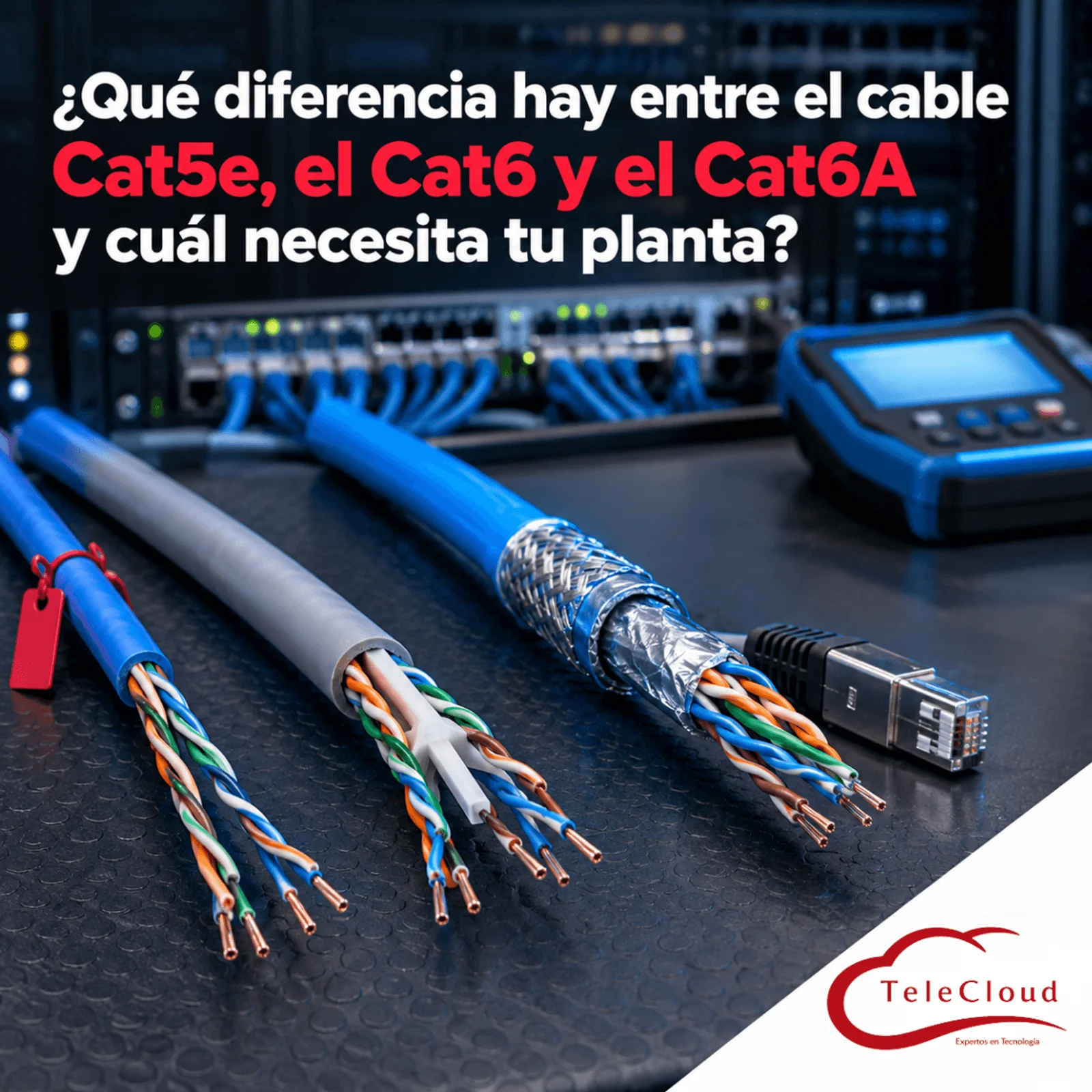
The plant installed machine vision at the final inspection station of its assembly line: four high-resolution PoE-powered cameras that send every image to a server in the network room. To save time, the contractor reused the unshielded Cat5e cable already running through the conveyor cable tray, right next to the power wiring for the variable frequency drives. With the line stopped, the tests came out clean. On Monday, with the motors at full speed, the cameras drop frames, the server receives incomplete images and the system rejects good parts, until quality puts the shift's production on hold to reinspect it by hand. The shipment goes out two days late, and the savings on cable are lost in a single shift.
Cat5e, Cat6 and Cat6A differ in bandwidth (100, 250 and 500 MHz) and in the speed they sustain over 100 meters. On the plant floor, electrical noise, PoE and distance determine which one fits each zone.
Three cables that look the same and behave differently when the line starts up
On the outside, all three have four twisted copper pairs and end in the same RJ45 connector. The difference lies in their construction: the twist rate, the separation between pairs, the conductor gauge and, in some models, the shielding. Those details determine how much signal the cable loses and how much noise it tolerates. When you choose a category, you are buying headroom: the gap between what the link needs and what the cable delivers under the real conditions of your facility.
Before comparing, one detail: the category is defined by the whole system. A link with Cat6A cable, Cat6 jacks and Cat5e patch cords performs like Cat5e, because the weakest component sets the performance of the channel. Choosing a category means choosing cable, connectors, patch panels and cords of the same class.
Bandwidth: 100, 250 and 500 MHz
Each category is specified up to a maximum frequency: 100 MHz for Cat5e, 250 MHz for Cat6 and 500 MHz for Cat6A. That figure marks the range over which the standard sets the cable's electrical parameters, and it relates only indirectly to speed in Gb/s. In practice, Cat5e sustains 1 Gb/s (1000BASE-T) over the 100 meters of a channel; Cat6 sustains that gigabit with more margin against noise and reaches 10 Gb/s only on short runs, whose length depends on the noise between neighboring cables; Cat6A sustains 10 Gb/s (10GBASE-T) over the full 100 meters.
Alien crosstalk: the noise that comes from the cable next door
Inside a cable, each pair induces a small signal in the others; this is called crosstalk, and the twisting serves to cancel it. At high frequencies, the signal from one cable also leaks into neighboring cables in the same bundle, which is known as alien crosstalk, and that effect is what limits Cat6 at 10 Gb/s. Cat6A was designed to control it, with greater separation between pairs and, in many models, an internal separator or a shield. The result is a thicker, stiffer cable that takes up more space in cable trays and conduit and requires wider bend radii.
Why the electrical noise of a plant floor punishes unshielded cable
In an office, the twisting is enough to reject ambient noise. On a plant floor, much more intense sources coexist: variable frequency drives, high-power motors, arc welders, induction furnaces and transformers. Near them, the noise exceeds what the twisting can cancel. The symptom is the one in the opening scenario: the link passes every test with the line stopped and, once the motors start, it piles up errors, renegotiates at a lower speed or drops for a few seconds. Because the failure only appears with the plant running, diagnosis often takes weeks.
Industrial cabling standards classify each zone of a plant according to four types of demands: mechanical, ingress of dust and liquids, climatic and chemical, and electromagnetic. This classification, known as M.I.C.E., helps you decide where office cable is enough and where you need shielding, jackets resistant to oils or UV rays, and sealed connectors.
U/UTP, F/UTP, U/FTP and S/FTP: how to read shielding nomenclature
The nomenclature has two parts separated by a slash. The first describes the overall shield of the cable: U if it has none, F if it has a metal foil and S if it has a braided screen. The second describes each pair: UTP if the pairs are unshielded and FTP if each one has its own foil. So U/UTP is the unshielded cable found in offices; F/UTP wraps the four pairs in a foil; U/FTP shields each pair separately; and S/FTP combines an overall braid with foil on each pair, the highest protection of the four. All three categories come in shielded versions, and Cat6A is where the industrial offering is broadest.
Shielding only protects when the shield reaches ground
A shielded cable protects when its shield has continuity along the entire run: shielded cable, jacks and patch panel, and a rack bonded to the telecommunications grounding system. If the shield is interrupted at a plastic connector or left ungrounded, it can pick up noise and conduct it toward the pairs. That is why shielded cabling is specified as a complete system. No shielding makes up for a bad route: data cables are kept apart from power conductors, cross them at right angles and never share a tray with the power feeds for the drives.
PoE and distance: the two demands that change the right category
Heat in bundles: what high-power PoE demands from the cable
We have already explained how PoE works and its power standards. For the cable, what matters is that current heats the conductors. In a bundle of dozens of cables powering cameras, access points and PTZ domes, that heat builds up in the center; the higher the temperature, the more signal the cable loses and the less margin the link has left. The 802.3bt standard, with up to 90 W per port over all four pairs, makes the effect more visible. Cables with thicker conductors, common in Cat6A, dissipate that heat better, so the category and the size of the bundles are defined together.
A 100 meter channel: the limit all three categories share
All three categories share the same limit: a 100 meter channel between the switch and the device, of which up to 90 meters correspond to the fixed cable and the rest to the cords. A higher category keeps that limit and improves the speed the link sustains when it reaches it. In a large facility, several points sit close to 100 meters from the rack, and that is where Cat6 loses the 10 Gb/s that Cat6A keeps. For the yard guardhouse or a separate warehouse, the answer is an intermediate enclosure connected with fiber optics.
The mistake of cabling the entire plant with the same category
A plant brings together zones with very different demands, and a single cable for all of them leads to overpaying in the offices or falling short in production. The choice is made zone by zone, based on what will be connected and the environment along each route.
Offices, meeting rooms and administrative areas
For computers, IP phones and printers at 1 Gb/s, unshielded Cat6 covers the need with margin to spare. Cat6A is justified at the drops for new-generation access points, video conferencing displays or equipment that will grow toward 10 Gb/s, and on routes close to electrical panels.
Production floor, machine rooms and outdoor areas
Where there are drives, welders or large motors, the usual specification is shielded Cat6A (F/UTP or S/FTP, depending on how intense the noise is), with shielded jacks and patch panels and the grounding network in place. In zones with oils, washdowns or heat, an industrial-grade jacket is added, and outdoors, one resistant to UV rays and moisture. Perimeter cameras, high-ceiling access points and dock readers usually depend on PoE, so those runs are also checked for heat in the bundles.
Installed Cat5e: when to keep it and when to replace it
A certified Cat5e installation, away from noise sources and with equipment running at 1 Gb/s, can stay in service. The 2.5 and 5 Gb/s ports on many recent access points (IEEE 802.3bz) were designed to take advantage of installed Cat5e and Cat6, as long as the link certifies. Replacement becomes necessary with high-power PoE devices, routes that now run next to new machinery or links that already fail certification. When deciding, keep in mind that the cable accounts for little of a project's cost compared with labor, pathways and work windows; a category that falls short within a few years forces you to pay for that labor twice.
How we choose the category for each zone at TeleCloud
At TeleCloud we start with a walkthrough of the plant: we locate the noise sources, measure the real distances from each rack, inspect cable trays and pathways, and build the inventory of equipment to be connected, with its speed and PoE consumption. With that, we specify the category, shielding and jacket for each zone, and lay out routes kept separate from power.
The installation is carried out by our own staff, with cable, connectors and patch panels of the same category and the same system, and with the shield of the shielded cabling bonded to ground end to end. At the end we certify every point with Fluke equipment and deliver a report for each point, so you know what speed each link in your plant can sustain before you connect the first device.
If your plant is going to add cameras, access points or vision equipment, or move lines close to new machinery, first check which category runs along each route and what surrounds it. At TeleCloud we specify the category and shielding for each zone, install with our own staff and certify every point, so your network holds its speed with the motors running. Request a diagnosis at https://telecloud.com.mx
Frequently asked questions
Is it worth installing Cat6A if my equipment only uses 1 Gb/s today?
On the production floor and at access point locations, almost always. Well-installed cabling stays in service much longer than the switches it connects, and recabling with the plant running costs far more than the difference between categories. In offices with desktop equipment at 1 Gb/s, Cat6 is usually enough.
Should I install Cat7 or Cat8 in my plant?
For a plant's horizontal cabling, Cat6A is the highest practical option. Cat7 belongs to the international ISO/IEC standard, TIA does not recognize it as a category and its full version uses connectors other than RJ45. Cat8 is intended for short links inside data centers, without the 100 meter reach a plant floor needs.
Can I combine Cat6A cable with Cat6 connectors or patch cords?
It works, although the full channel performs like the lowest-category component, in this case Cat6, and it would not pass certification as Cat6A. If you are going to pay for Cat6A, the cable, jacks, patch panels and cords should all be that category, preferably from the same system and a single manufacturer.
Do you need a network diagnosis?
The TeleCloud team evaluates your current infrastructure and proposes solutions adapted to your industrial operation.
Schedule free diagnosis